
Customizing the Login Page

The login page can be customized with your own logo and messaging, as well as things like SSO login buttons.

Reference documentation can be found at DashboardLoginExtensions.

Login page extension points

index.tsx
import { defineDashboardExtension } from '@vendure/dashboard';

import { useSsoLogin } from './use-sso-login';

defineDashboardExtension({
login: {
logo: {
component: () => <div className="text-3xl text-muted-foreground">My Logo</div>,
},
beforeForm: {
component: () => <div className="text-muted-foreground">Welcome to My Brand</div>,
},
afterForm: {
component: () => {
const { handleLogin } = useSsoLogin();
return (
<div>
<Button variant="secondary" className="w-full" onClick={handleLogin}>
Login with SSO
</Button>
</div>
);
},
},
},
});

This will result in a login page like this:
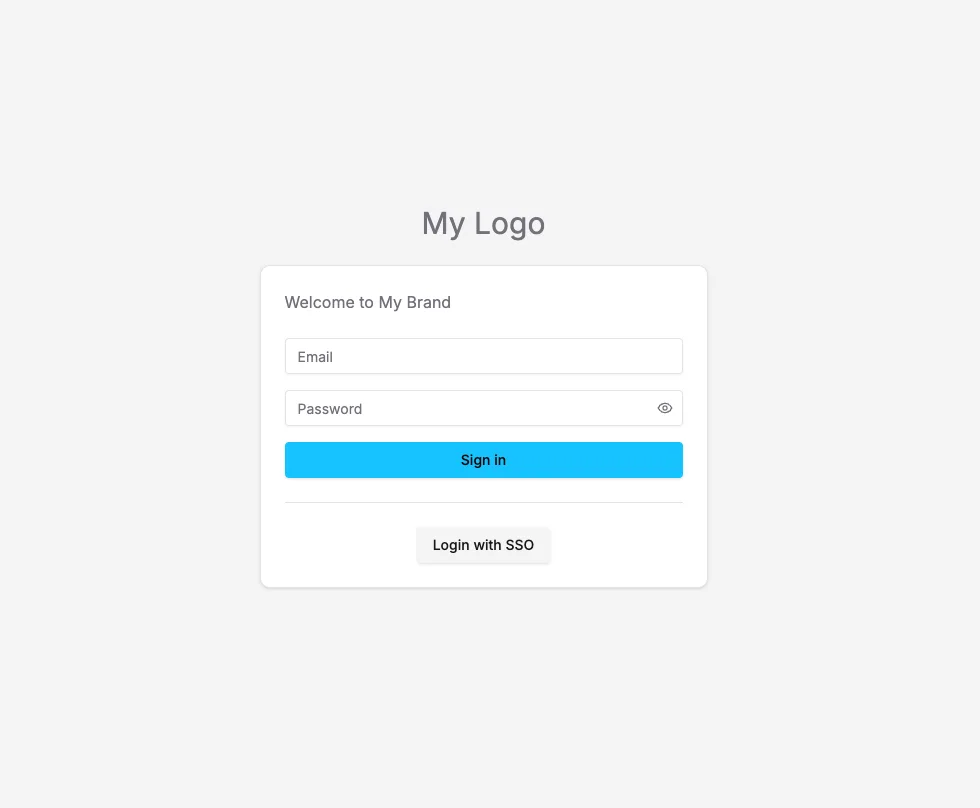
Login page

Fully custom login pages

If you need even more control over the login page, you can also create an unauthenticated route with a completely custom layout.

index.tsx
import { defineDashboardExtension } from '@vendure/dashboard';

defineDashboardExtension({
routes: [
{
path: '/custom-login',
component: () => (
<div className="flex h-screen items-center justify-center text-2xl">
This custom login page
</div>
),
authenticated: false,
},
],
});