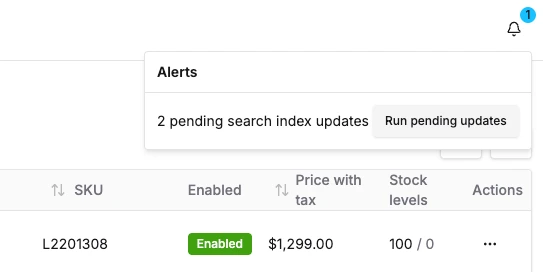
import { graphql } from '@/gql';import { api, DashboardAlertDefinition, toast } from '@vendure/dashboard';const pendingSearchIndexUpdatesDocument = graphql(` query GetPendingSearchIndexUpdates { pendingSearchIndexUpdates }`);export const runPendingSearchIndexUpdatesDocument = graphql(` mutation RunPendingSearchIndexUpdates { runPendingSearchIndexUpdates { success } }`);export const pendingSearchIndexUpdatesAlert: DashboardAlertDefinition<number> = { id: 'pending-search-index-updates', // The `check` function is called periodically based on the `recheckInterval`. // It will typically do something like checking an API for data. The result // of this function is then used to decide whether an alert needs to be // displayed. check: async () => { const data = await api.query(pendingSearchIndexUpdatesDocument); return data.pendingSearchIndexUpdates; }, recheckInterval: 10_000, // Determines whether to display the alert. In our case, we want to display // and alert if there are one or more pendingSearchIndexUpdates shouldShow: data => data > 0, title: data => `${data} pending search index updates`, description: 'Runs all pending search index updates', // The severity (info, warning, error) can be a static string, or can // be dynamically set based on the data returned by the `check` function. severity: data => (data < 10 ? 'info' : 'warning'), // Actions allow the administrator to take some action based on the // alert. actions: [ { label: `Run pending updates`, onClick: async ({ dismiss }) => { await api.mutate(runPendingSearchIndexUpdatesDocument, {}); toast.success('Running pending search index updates'); // Calling this function will immediately dismiss // the alert. dismiss(); }, }, ],};