Open Telemetry is a set of APIs, libraries, agents, and instrumentation to provide observability for applications. It provides a standard way to collect and export telemetry data such as traces, metrics, and logs from applications.
From Vendure v3.3, Vendure has built-in support for Open Telemetry, via the @vendure/telemetry-plugin package.
This package provides a set of decorators and utilities to instrument Vendure services and entities with Open Telemetry.
In this guide we will set up a local Vendure server with Open Telemetry, collecting traces and logs using the following parts:
There are many other tools and services that can be used with Open Telemetry, such as Prometheus, Zipkin, Sentry, Dynatrace and others.
In this guide we have chosen some widely-used and open-source tools to demonstrate the capabilities of Open Telemetry.
We will be using Docker to run Jaeger, Loki, and Grafana locally. Create a file called in the root of your project (standard Vendure installations already have one) and add the following contents:
docker-compose.ymlYou can start the services using the following command:
Once the images have downloaded and the containers are running, you can access:
If you already have this plugin running, read Upgrading from earlier versions before you deploy. Span attribute names have changed, which will break existing Grafana dashboards and alerts.
Add the plugin to your Vendure config:
In order to send telemetry data to the Jaeger and Loki services, you need to set some environment variables.
In a standard Vendure installation, there is an .env file in the root of the project. We will add the following:
The Open Telemetry libraries for Node.js instrument underlying libraries such as HTTP, Express, NestJS, GraphQL, the PostgreSQL & MySQL2 database drivers, and ioredis to collect telemetry data. In order to do this, they need to be preloaded before any of the Vendure application code. This is done by means of a preload script.
The script imports the OpenTelemetry SDK and exporters directly, so install them alongside the plugin. Pin them to the versions the plugin is built against, otherwise npm resolves the latest line and you end up with two copies of the SDK in your tree:
Create a file called preload.ts in the src dir of your project with the following contents:
There are many, many configuration options available for Open Telemetry. The above is an example that works
with the services used in this guide. The important things is to make sure the use the
getSdkConfiguration function from the @vendure/telemetry-plugin/preload package, as this will ensure that
the Vendure core is instrumented correctly.
To run the preload script, you need to set the --require flag when starting the Vendure server. We will
also set an environment variable to distinguish the server from the worker process.
You can do this by adding the following script to your package.json:
By default, getSdkConfiguration returns a curated set of OpenTelemetry instrumentations that
covers the libraries Vendure itself uses (HTTP, Express, NestJS, GraphQL, PostgreSQL, MySQL2,
ioredis). If you need to capture spans from other libraries used in your own plugins — for
example kafkajs, mongoose, winston, undici — you have two options.
Option 1: install the full auto-instrumentations bundle.
This restores the behaviour of @vendure/telemetry-plugin prior to v3.7, attaching spans
to any supported library it detects at runtime:
Option 2: pick the specific instrumentation packages you need.
Install just the ones you want and pass them alongside the Vendure-default set:
Passing instrumentations in your config replaces the curated default — it does not merge
with it. If you want to keep the Vendure-default tracing, you need to include those entries in
your own array as shown above.
The plugin now uses the OpenTelemetry 0.223 instrumentations, which emit only the stable semantic
conventions. Two things change in the telemetry your server produces. Both apply whether or not
you customise instrumentations.
The attributes on HTTP and database spans are renamed. Names like http.method and
db.statement are gone, and you cannot get them back. Grafana dashboards and alerts that query
an old name will come back empty.
| Old name | New name |
|---|---|
http.method | http.request.method |
http.status_code | http.response.status_code |
http.url | url.full |
http.target | url.path and url.query |
http.scheme | url.scheme |
http.host | server.address |
http.flavor | network.protocol.version |
http.user_agent | user_agent.original |
http.client_ip | client.address |
net.peer.name, net.host.name | server.address |
net.peer.port, net.host.port | server.port |
net.peer.ip | network.peer.address |
db.system | db.system.name |
db.statement | db.query.text |
db.name | db.namespace |
db.user, db.connection_string | removed, no replacement |
http.request_content_length, http.response_content_length | removed, no replacement |
Span names and http.route are unchanged.
Migrating your dashboards
http., net. and db.. In
Grafana, read them from Dashboard settings > JSON Model, or fetch them all through the
HTTP API.http_method becomes http_request_method.{span.http.method="GET" || span.http.request.method="GET"}. Drop the old half once your
trace retention window has passed.If you cannot change your dashboards yet, put an OpenTelemetry Collector between Vendure and your
tracing backend. A transform processor can copy each new attribute onto its old name, so every
span carries both and you can migrate later.
Sensitive query parameters are redacted on spans for incoming requests. Earlier versions only did this for outgoing requests.
If the request URL carries any of sig, Signature, AWSAccessKeyId, X-Goog-Signature,
X-Amz-Signature, X-Amz-Credential or X-Amz-Security-Token, the value is replaced with
REDACTED in the url.query attribute. No other attribute on the span changes, and the request
itself is untouched.
To use a different list, set redactedQueryParamsServer on HttpInstrumentation. You need to
pass your own instrumentations array to do this, as shown in
Customising instrumentation.
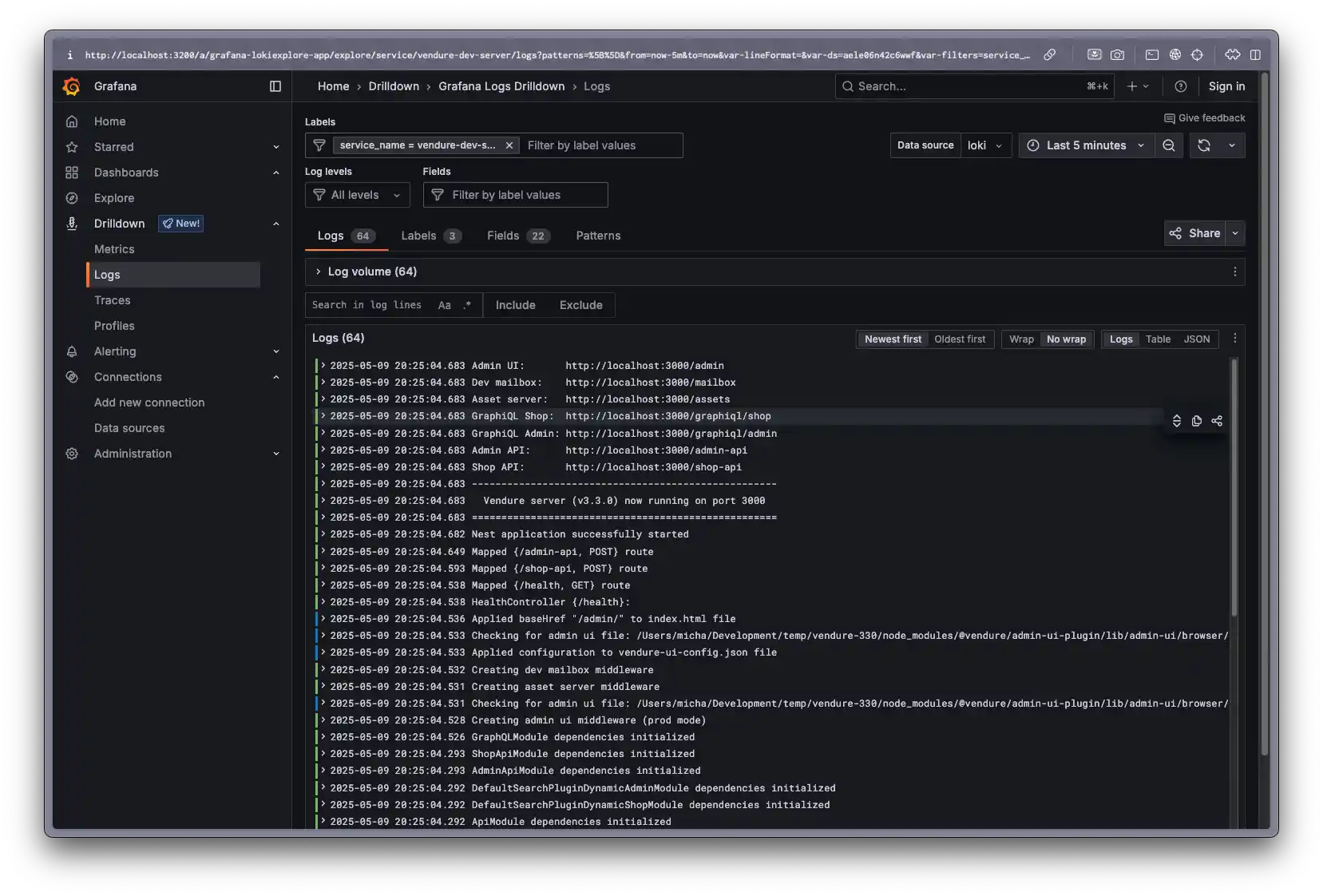
Once you have started up your server with the preload script, Loki should start receiving logs.
Let's take a look at the logs in Grafana.
Open the Grafana dashboard at http://localhost:3200 and select Connections > Data Sources from the left-hand menu. Then click the "Add data source" button.
Find "Loki" and select it. In the config form that opens, set the URL to http://loki:3100 and click "Save & Test".
Now you can select Drilldown > Logs from the left-hand menu. In the "Data source" dropdown, select "Loki".
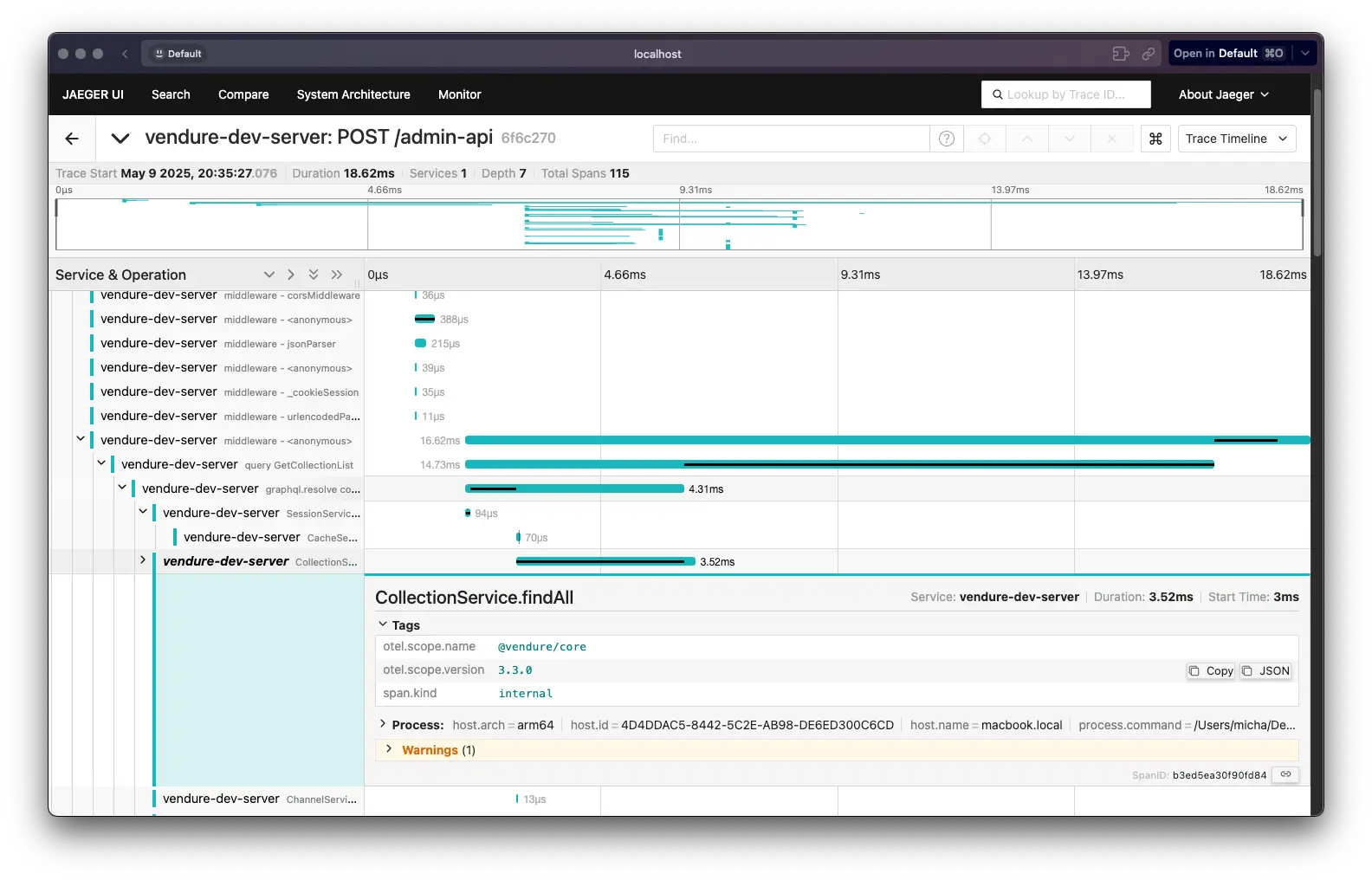
You can view traces in Jaeger by going to http://localhost:16686.
Select the "vendure-dev-server" service from the dropdown and click "Find Traces".
Clicking a trace will show you the details of the trace.
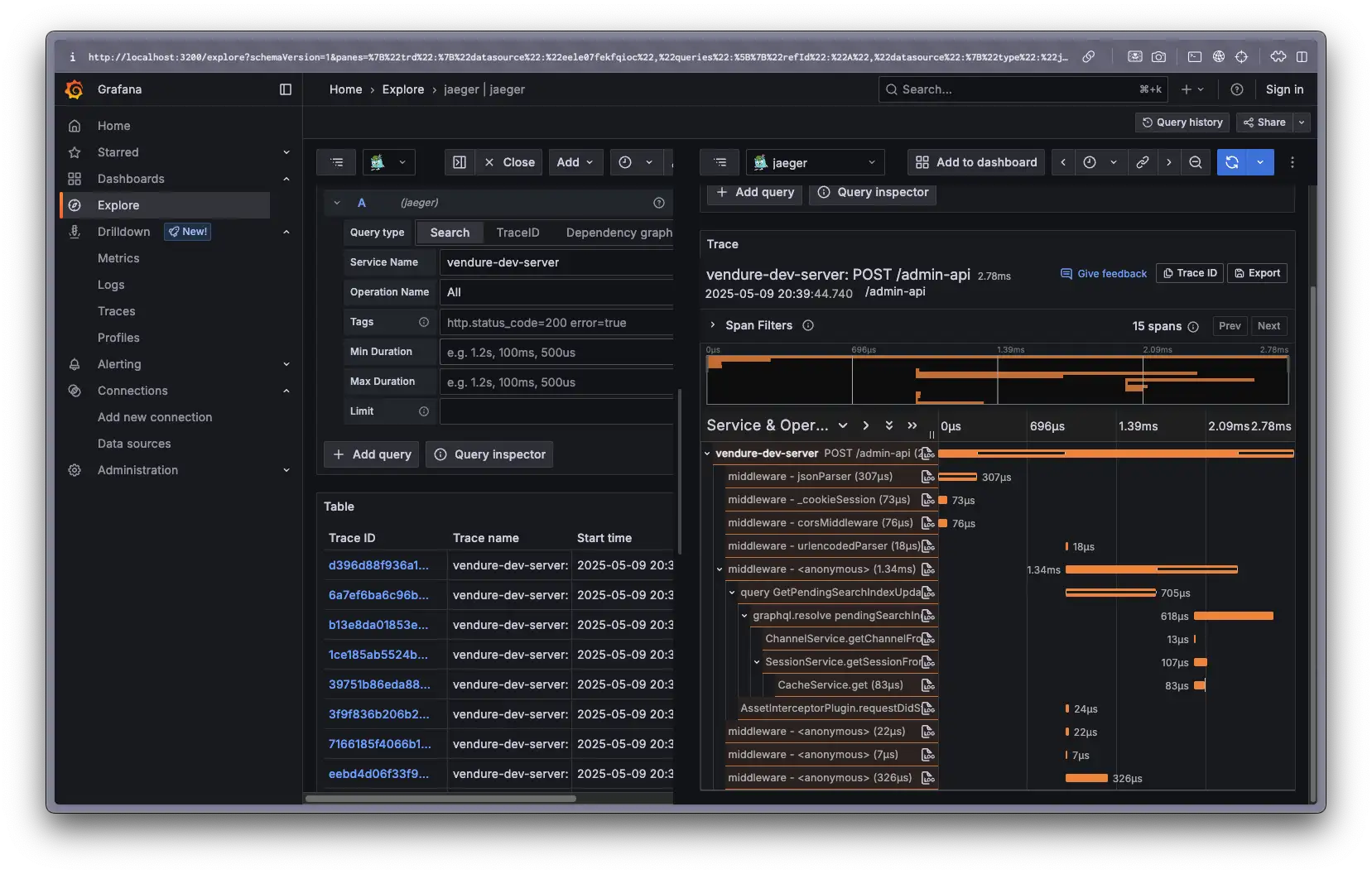
You can also view traces in Grafana by connecting it to Jaeger.
To do this, go to the Grafana dashboard at http://localhost:3200 and select Connections > Data Sources from the left-hand menu. Then click the "Add data source" button.
Find "Jaeger" and select it. In the config form that opens, set the URL to http://jaeger:16686 and click "Save & Test".
Now you can select Explore from the left-hand menu, select "Jaeger" from the dropdown and then click the "search" tab and select the "vendure-dev-server" service from the dropdown.
Clicking the blue "Run Query" button will show you the traces for that service.
You can also instrument your own plugins and services with Open Telemetry. To do so, add the Instrument decorator to your service class:
You should now be able to see calls to MyService.myMethod in your traces.
You should not decorate GraphQL resolvers & REST controllers with this decorator. Those will
already be instrumented, and adding the @Instrument() decorator will potentially
interfere with other NestJS decorators on your resolver methods.
Architecture reviews, custom plugin work, migrations, ongoing support. Get a hand from the team that builds Vendure.
Talk to the team