Products
Your catalog is composed of Products and ProductVariants.
A Product always has at least one ProductVariant. You can think of the product as a "container" which includes a name, description, and images that apply to all of
its variants.
Here's a visual example, in which we have a "Hoodie" product which is available in 3 sizes. Therefore, we have 3 variants of that product:
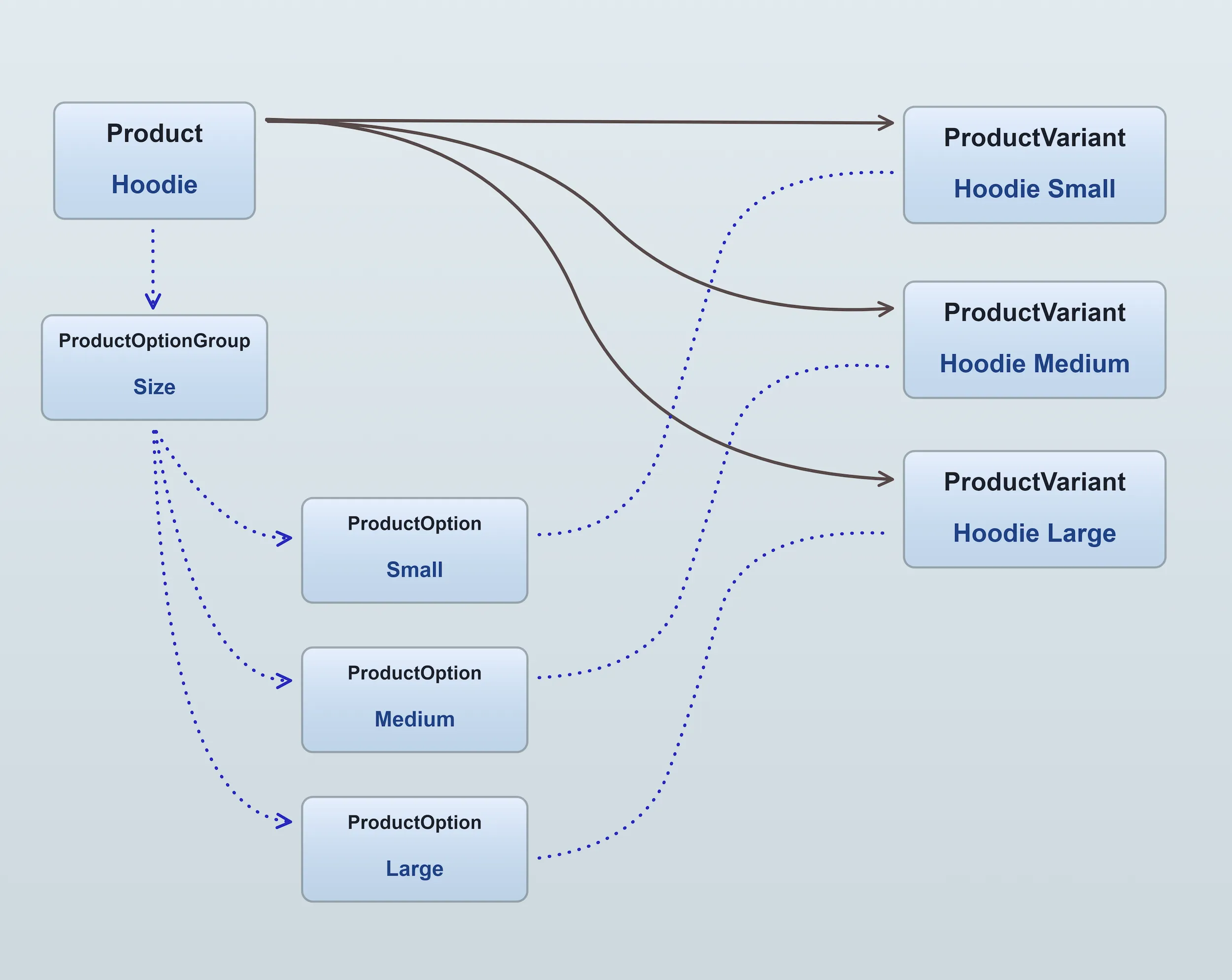
Multiple variants are made possible by adding one or more ProductOptionGroups to
the product. These option groups then define the available ProductOptions
If we were to add a new option group to the example above for "Color", with 2 options, "Black" and "White", then in total we would be able to define up to 6 variants:
- Hoodie Small Black
- Hoodie Small White
- Hoodie Medium Black
- Hoodie Medium White
- Hoodie Large Black
- Hoodie Large White
Info
When a customer adds a product to their cart, they are adding a specific ProductVariant to their cart, not the Product itself.
It is the ProductVariant that contains the SKU ("stock keeping unit", or product code) and price information.
Product price and stock
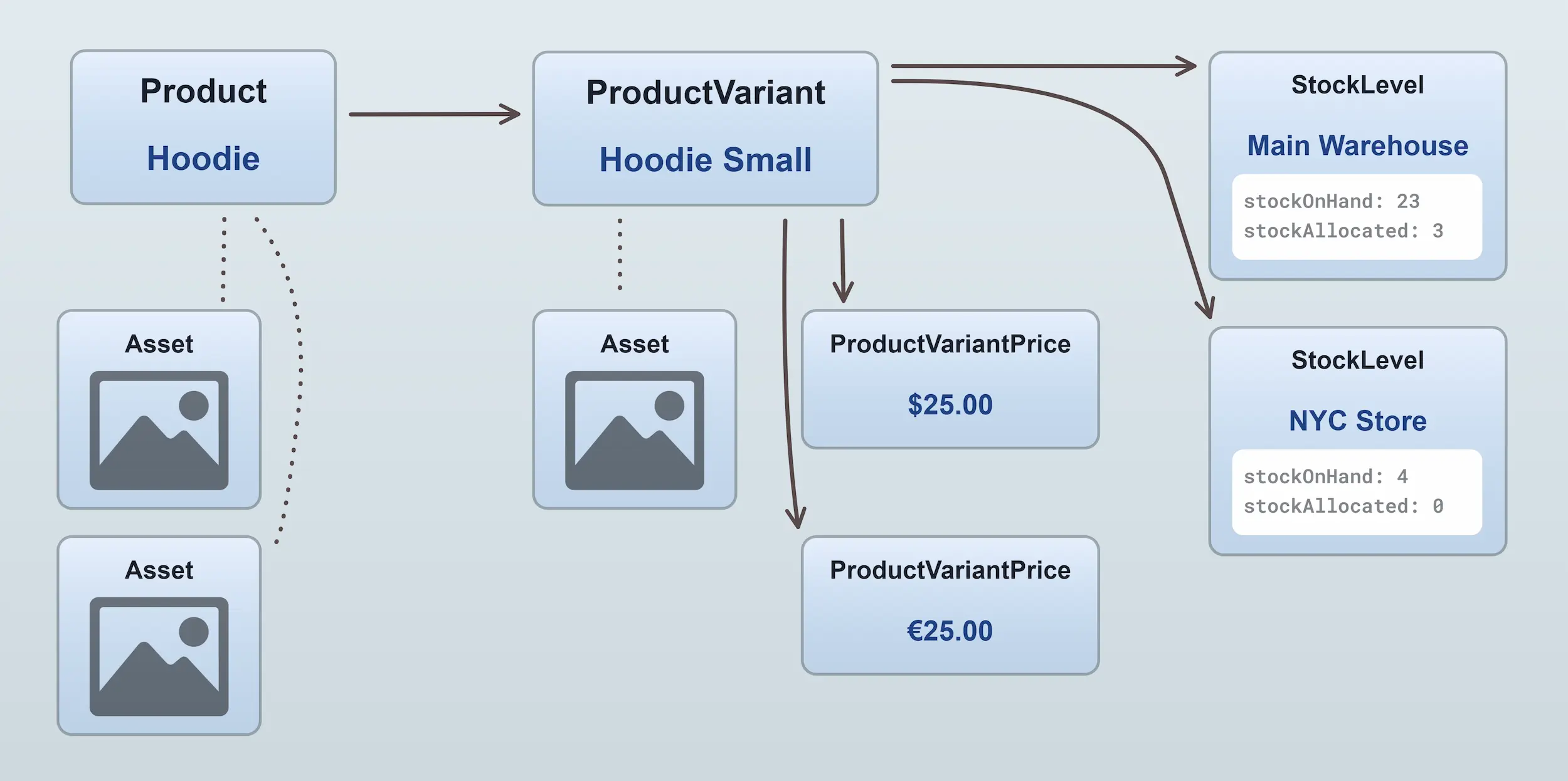
The ProductVariant entity contains the price and stock information for a product. Since a given product variant can have more
than one price, and more than one stock level (in the case of multiple warehouses), the ProductVariant entity contains
relations to one or more ProductVariantPrice entities and
one or more StockLevel entities.
Facets
Facets are used to add structured labels to products and variants. Facet values can be assigned to products or product variants, and are commonly used for catalog organization, storefront filtering, and internal business logic.
For a detailed explanation of facets, filtering, and how they relate to collections, see the Facets & Filters guide.
Was this chapter helpful?